
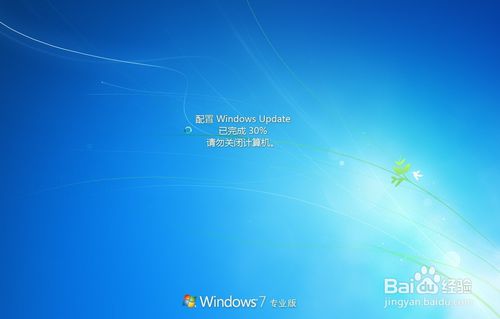
台式机重装win7系统关闭配置Windows Update方法。电脑在关机和开机的时候会跳出 配置windows update 这让电脑的开机和关机速度变得很慢,很不方便,今天教大家如何关闭 配置windows update 的问题
方法/步骤
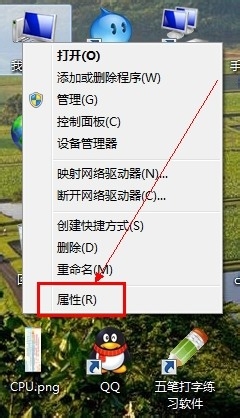
在“我的电脑”上右键----属性
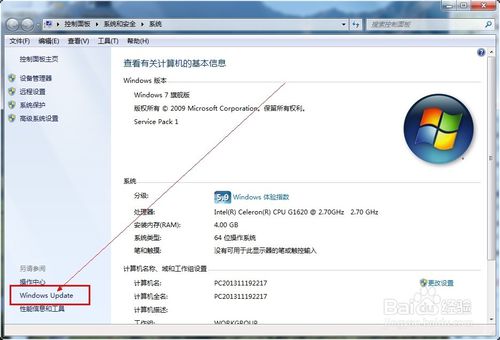
找到并点击“windows update”
点击“更改设置”
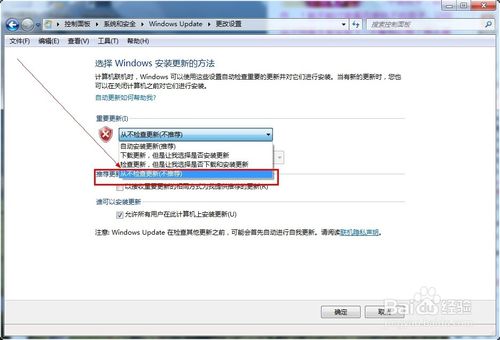
点击“从不检测更新”---然后点击下面的确定。
如果以上方法并没有帮助你解决问题,那么使用第二方法,如下:
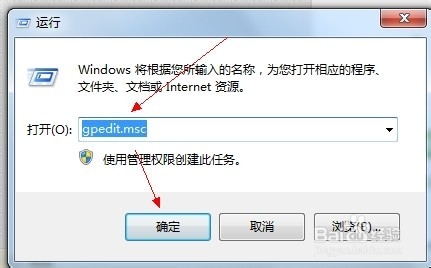
按WIN+R 在窗口中输入:gpedit.msc 然后点击确定。
WIN是左手Ctrl与Alt之间的按键。
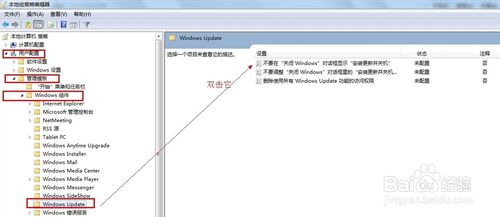
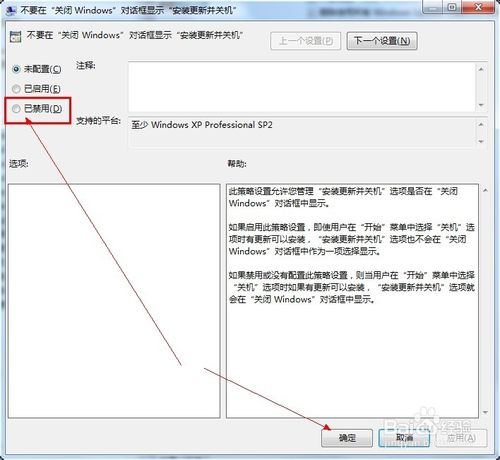
如下图所以,依次展开后,点击“不要在关闭windows对话框显示...”后,选择禁止!然后应用并确定
以上便是关于台式机重装win7系统关闭配置Windows Update方法,希望小编的分享能够帮助到大家!
点击阅读全文